radioindice
radioindice (or ri) subcommand computes radiometric indices such as ndvi or ndwi.
$ rio georastertools radioindice --help
Usage: rio georastertools radioindice [OPTIONS] INPUTS...

Compute the requested radio indices on raster data.

This command computes various vegetation and environmental indices on
satellite or raster data based on the provided input images and options. The
tool can compute specific indices, merge the results into one image, compute
normalized differences between bands, and apply processing using a region of
interest (ROI) and specified tile/window size.

Arguments:

    inputs TEXT

    Input file to process (e.g. Sentinel2 L2A MAJA from THEIA). You can
    provide a single file with extension ".lst" (e.g. "radioindice.lst")
    that lists the input files to process (one input file per line in .lst).

Options:
    -o, --output TEXT               Output directory to store results (by
                                    default current directory)
    -m, --merge                     Merge all indices in the same image (i.e.
                                    one band per indice)
    -r, --roi TEXT                  Region of interest in the input image
                                    (vector)
    -ws, --window_size INTEGER      Size of tiles to distribute processing,
                                    default: 1024
    -i, --indices TEXT              List of indices to compute. Possible indices
                                    are: bi, bi2, evi, ipvi, mndwi, msavi,
                                    msavi2, ndbi, ndpi, ndti, ndvi, ndwi, ndwi2,
                                    pvi, ri, rvi, savi, tndvi, tsavi
    --bi2                           Compute bi2 indice
    --bi                            Compute bi indice
    --ri                            Compute ri indice
    --ndbi                          Compute ndbi indice
    --ndti                          Compute ndti indice
    --ndpi                          Compute ndpi indice
    --mndwi                         Compute mndwi indice
    --ndwi2                         Compute ndwi2 indice
    --ndwi                          Compute ndwi indice
    --evi                           Compute evi indice
    --ipvi                          Compute ipvi indice
    --msavi2                        Compute msavi2 indice
    --msavi                         Compute msavi indice
    --tsavi                         Compute tsavi indice
    --savi                          Compute savi indice
    --pvi                           Compute pvi indice
    --rvi                           Compute rvi indice
    --tndvi                         Compute tndvi indice
    --ndvi                          Compute ndvi indice
    -nd, --normalized_difference band1 band2
                                    Compute the normalized difference of two
                                    bands defineda s parameter of this option,
                                    e.g. "-nd red nir" will compute (red-
                                    nir)/(red+nir). See
                                    eolab.georastertools.product.rastertype.
                                    BandChannel for the list of
                                    bands names. Several nd options can be set
                                    to compute several normalized differences.
    -h, --help                      Show this message and exit.

If no indice option is explicitly set, NDVI, NDWI and NDWI2 are computed.
Warning
radioindice only accepts input files that match one of the configured raster types, either a built-in raster type
or a custom raster type defined with option -t of georastertools. See section “Raster types”.
Examples :
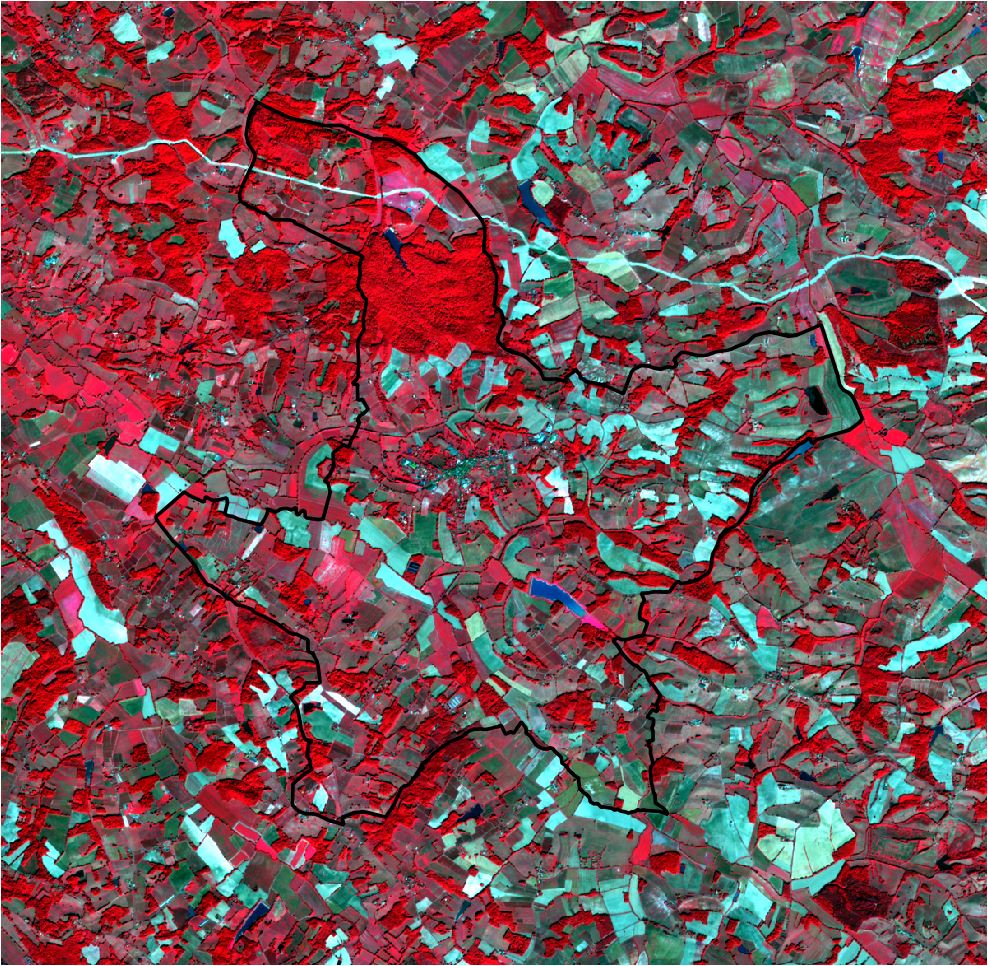
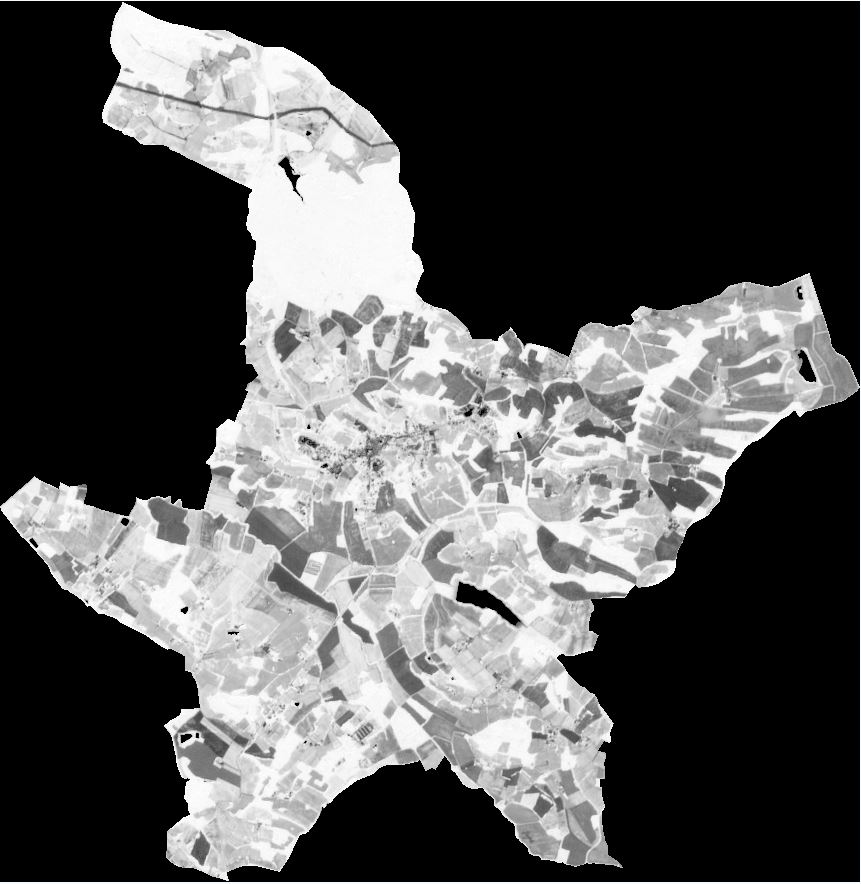
The first command computes the NDVI of a Sentinel-2 L2A product. The computation is performed on a region of interest defined by a shapefile. The NDVI is then computed on a subset of the input product.
Let’s have a look of the Sentinel-2 L2A product in false color (Green, Red, NIR). The region of interest is highlighted with a black line.
$ rio georastertools radioindice -r "./COMMUNE_32001.shp" --ndvi ./SENTINEL2A_20180521-105702-711_L2A_T30TYP_D.zip
The generated NDVI image is:
The second command computes two indices (NDVI and NDWI) of the same input image. No region of interest is configured.
$ rio georastertools radioindice -i ndvi ndwi -m ./SENTINEL2A_20180521-105702-711_L2A_T30TYP_D.zip
The generated image has two bands (because option -m is activated): first one is the ndvi, second one is the ndwi. If -m option is not activated, two images would be generated, one image per indice.
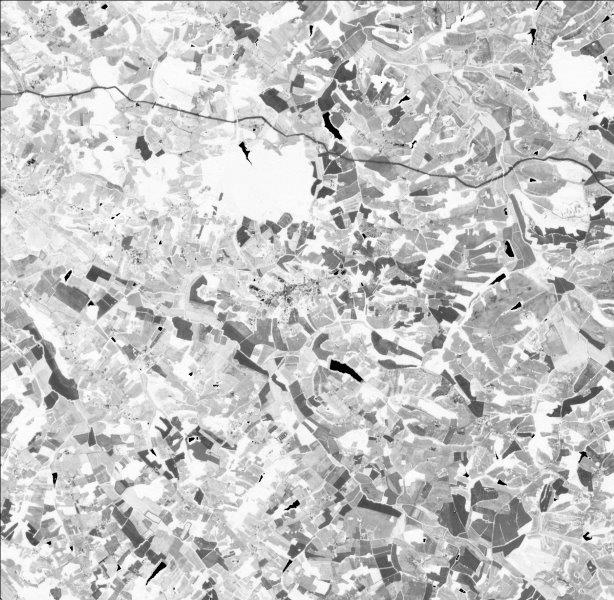
Here is a capture of the first band (ndvi):